

An Ir sensor is one of the widely used sensors having a variety of applications in many projects.

Where the IR sensor can be used?
It can be used at varies places and also can be considered synonyms for the IR sensor, like:
- To detect objects
- To build a simple line follower robot
- To build a simple edge avoiding robot
- To build a simple obstacle avoiding robot
- To build a simple wall falling robot
- To built a micro mouse robot
Parts you'll need:
- 1* General PCB (2*3 inch)
- 1* IR led Tx/Rx

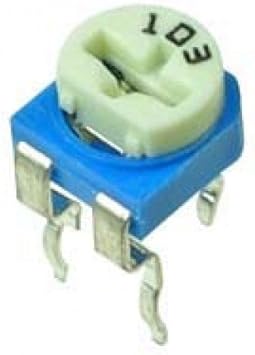
- 1* 10k variable resistance
- 1* 10k resistance

- 2* 220ohm resistance

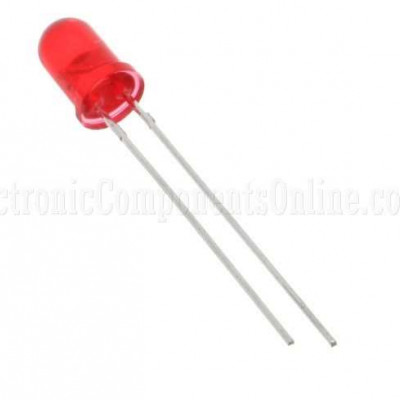
- 1* Red led 3mm
- 1* LM358 op-amp IC


Note: This sensor will be operated on 5 volts power supply!
Circuit Diagram:

Tools you will require to build this circuit:
- Soldering Iron with stand
- Soldering Flux
- Soldering wire
- Glue gun
Note: Build all connections as per the circuit and cross-check before powering it, as the wrong connection can damage the IC and other components!
how it works?
As the circuit powers up the Tx led will continuously start emitting the Infrared light,
and the Rx led will comes in action as the light falls on it.
The Rx led is placed in reverse-biased configuration (connected inverted) in order to give variable
O/P.
The variable O/Pis feed to the non-inverting terminal of the op-amp and the op is configured in the comparator mode configuration, VR1 is used to set the reference value for the digital O/P with respect to the Infrared I/P.
As the VR1 set voltage and variable voltage from IR Rx match the op-amp will generate a digital output, as it is configured in the comparator mode.
_________________________________________________________________________________
I hope, this article might help you somewhere!
Thanks a lot for spending your time reading this article.
For any query or concern comment down or send us an email on:
Follow us on other social platforms:
Instagram: https://www.instagram.com/innovationsfy/
Facebook: https://www.facebook.com/innovationsfy/
_________________________________________________________________________________


0 Comments